
Document Preparation Checklist Dubai — MOJ Translation
Before You Submit
MOJ Licensed Legal Translator Khaled Mohamed Abdeltawab Aladl (MOJ License #701) · Timing is confirmed after we see your document.
Send Your DocumentPreparing your documents correctly helps us provide accurate translations faster. Use this checklist to confirm you have everything ready.
Document Quality Requirements
- Clear and Legible:* All text must be readable. If using photos, check for good lighting and sharp focus. Blurry or dark images may delay processing.
- Complete Document:* Include all pages, even if some appear blank or only contain stamps. Missing pages result in incomplete translations.
- Visible Stamps and Seals:* Official stamps, seals, and signatures must be visible in your scan or photo. These are part of the certified translation.
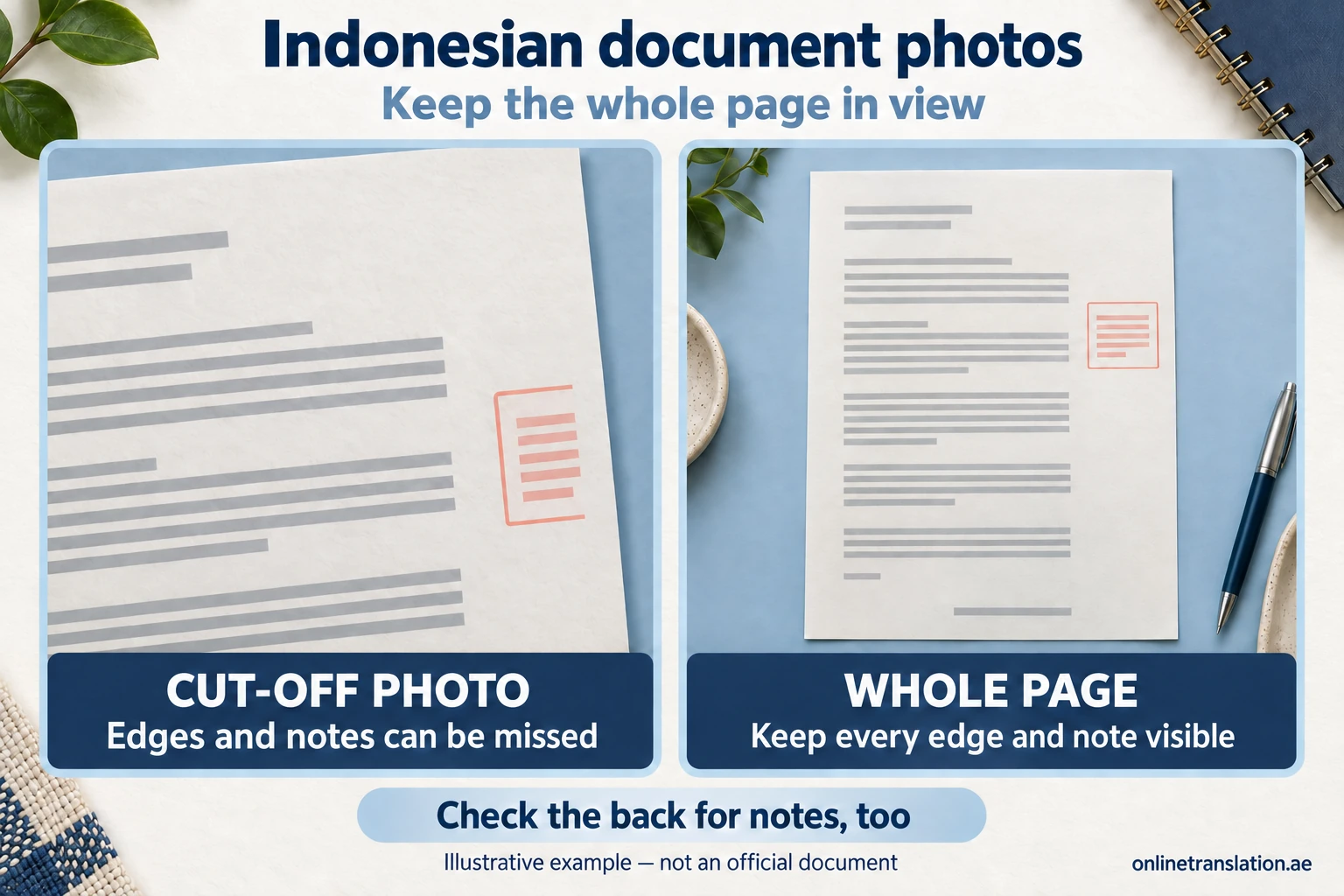
- No Cropped Edges:* The entire document should be visible, including margins and borders. Cropped documents may miss important information.
See the difference between a cropped photo and a whole-page view
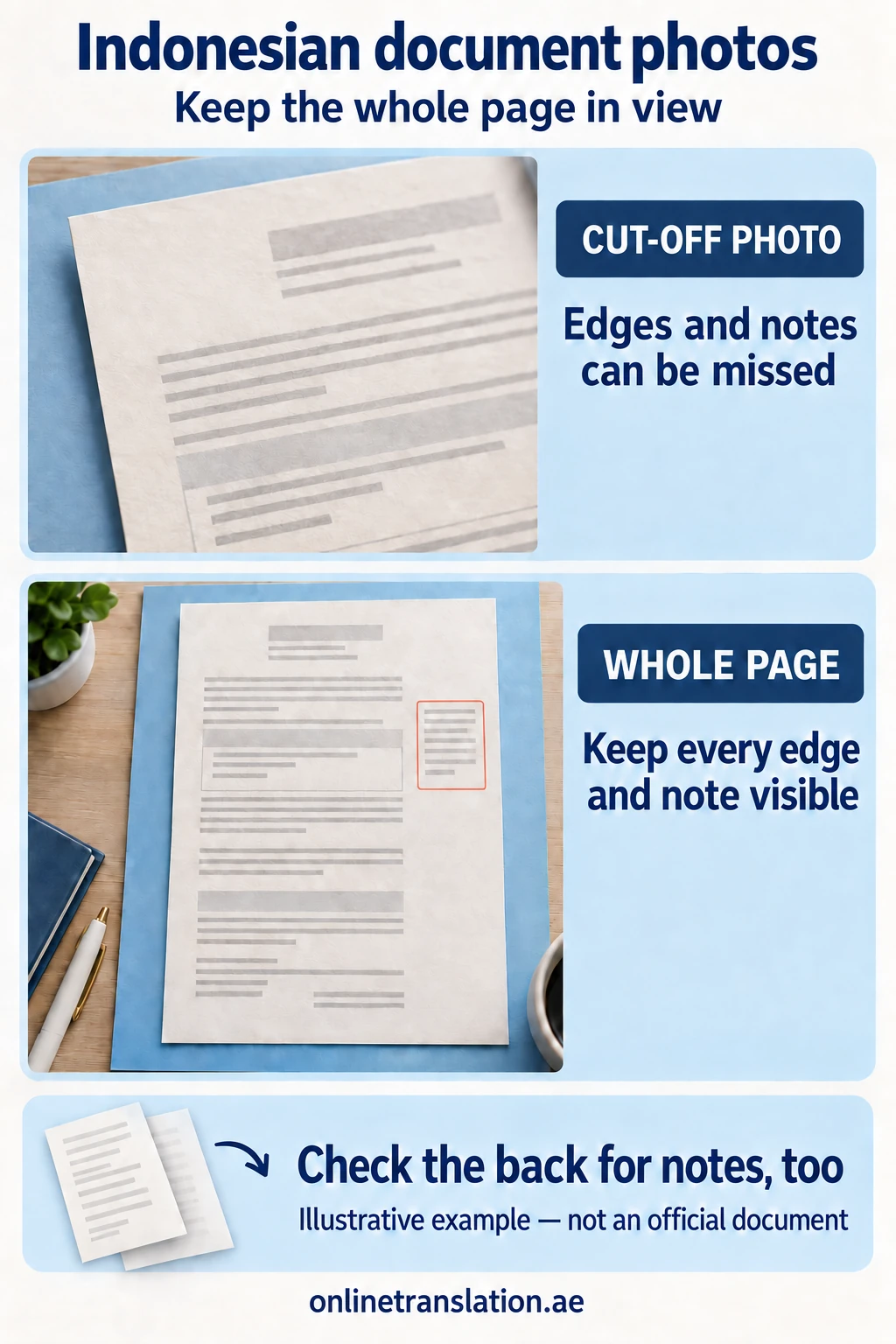
Cropped view: an edge and a margin note are missing. Whole-page view: all four corners and the margin note remain visible. Check the reverse side for additional content. Illustrative example — not an official document.
Accepted File Formats
Preferred:
- PDF (for multi-page documents)
- JPEG/JPG (good for single certificates)
- PNG (for high-quality images)
Accepted:
- Word documents (.doc, .docx)
- HEIC/HEIF (iPhone photos)
- TIFF (for scanned documents)
Before you gather documents, send what you have via WhatsApp. We review and tell you exactly what is still needed, saving you trips and preparation time. Learn about our concierge approach.
By Document Type
Personal Certificates (Birth, Marriage, Death, Divorce)
- Original certificate or certified copy
- Both sides if information appears on reverse
- Any apostille or attestation stamps
Academic Documents (Degrees, Transcripts)
- Complete certificate with university seal
- Full transcript with all pages
- Grading scale if separate from transcript
- Any equivalency letters
Legal Documents (Contracts, POA, MOA)
- All pages including signature pages
- Any schedules or annexures referenced
- Notarization stamps if applicable
Common Mistakes That Delay Translation
- Tilted, poorly lit or cropped images: Place the document flat in even lighting, keep it in focus, and include the entire page. For multi-page documents, capture each page separately and combine the pages into one PDF.
- Name mismatches between documents:* The name on your birth certificate must match your passport exactly. “Mohammed” and “Mohamed” are treated as different names by immigration systems. Send a copy of your passport alongside your document so we can verify spelling before translation.
- Laminated or damaged originals:* Laminated documents are rejected by attestation authorities because they cannot verify authenticity. If your document is laminated, request a fresh unlaminated copy from the issuing authority before starting the translation process.
- Missing supporting documents:* Some translations require context documents. A degree translation for MOHESR equivalency often needs the transcript as well. A court submission may need the original judgment alongside the translated document. We check requirements during our review and advise you before you pay.
Before You Organise Your Documents
Not sure if what you have is complete? We review everything before you pay. Common situations where a preliminary review saves significant time:
- Attestation gaps: Foreign certificates often require apostille or embassy attestation before translation. We identify any missing steps in the chain and advise on the correct order.
- Language chain: If your document is in a third language — French, Chinese, Tagalog, or another — we confirm the correct translation route and certify accordingly.
- Name consistency: We cross-check names across all documents you send and flag discrepancies before submitting anything to courts, GDRFA, or government offices. A mismatch between your certificate and your passport is one of the most common rejection causes.
- Page completeness: Many clients send only the front page of a multi-page document. We check that all pages — including reverse sides, stamps, and annexures — are present before starting.
Send whatever you have via WhatsApp — a photo is enough to start the review. We respond within the hour with exactly what is still needed. No commitment required until you approve the quote.
Also review our FAQ for tips on avoiding common rejection causes.
Frequently Asked Questions
Common questions about our translation services.
Can I send phone photos instead of scans?
Phone photos work if the image is sharp, flat, and evenly lit. Use a scanner app like CamScanner or Adobe Scan for cleaner results. Blurry or angled photos may delay processing.
Do I need to send originals for translation?
No. We work from clear digital copies: scans or high-quality photos sent via WhatsApp. Keep your originals safe; you only need them for attestation or notarization steps.
What if my document is in a language other than English or Arabic?
Send it via WhatsApp. We review the document and confirm whether we handle that language pair directly or coordinate with a licensed translator from our network.
How do I know if my scan quality is good enough?
All text, stamps, and signatures should be clearly readable. No cropped edges, no shadows, no blur. If you can read every word on screen, the quality is sufficient.
What happens if I send an incomplete document?
We review every submission before starting. If pages are missing or stamps are unclear, we notify you via WhatsApp and tell you exactly what is needed, before any charges.
Do I need to prepare documents differently for court submissions?
Court submissions often require the full document set, original judgment, supporting evidence, and any prior translations. Send everything you have and we advise on what the court expects.
Not Sure What Your Documents Need?
Send your document. We check the requirements, tell you what is needed, and confirm the right path before you spend anything.